Showing posts with label kindergarten. Show all posts

Wednesday, August 22, 2012

Math App!

One of the math apps I love to use in Kindergarten with the iPads is KG Math. You can find it here.   What I love about it is that it is actually geared towards kindergarten. It hits tons of standards and they keep coming up with new updates with more games.  The game does cost $1.99 but I think it is worth purchasing.  (I am not getting any kickbacks for recommending this app... I just truly love it : ) 

Here is a screen shot of some games the students can choose.  It is a very simple format and extremely kid friendly.  I love that they even included symmetry!  How many symmetry activities do you find??? Not many!  The only complaint (which I hope with one of the updates they will change) is that if a student gets it wrong there is not an explanation or teaching moment that helps the child.  This is the one drawback I see.  I'm hoping that feature will be there soon!  Maybe if enough of us check it out and send that suggestion then it will happen...... 
What math apps do you love?

Monday, June 25, 2012

Student Data Folders...New App!

So, how many of you keep the traditional student data folders???? (My hand is raised...) In kindergarten it looks like this..... Little Johnny does poorly on the rhyming test, I take the rhyming test upstairs to make a copy, I 3-hole punch the copy, write the date, put it in Little Johnny's binder.....Then of course when I give an important test that I mom and dad to see at conferences I 3-hole punch and keep it..... keep a few writing samples.... make a copy of a behavior slip sent home (I call them 'oops reports')......The list is endless, then the binder is filled, blablablablabal Such a bother, but I obviously see the benefits and need for these binders or BELIEVE ME I WOULDN'T DO THEM..... 
So today while blog hopping/stalking I found this post by KindergartenWorks
 

Click on the picture above to read her description of a time-saving organizational power-house app for the iPad/iPhone called 3 Ring.  It can be found here at http://threering.com/.
Check out this short video about 3 Ring!


 The organizational aspect is AMAZING.... The general idea is that it's a 'virtual data binder'.  Simply take a picture of the document, choose who and what it belongs to, and it's uploaded. So, at conferences I can pull up Little Johnny's writing to show mom and dad what he produced.  "Oh, what was that, mom and dad? You're not sure what is expected from a kindergarten kid at this time of the year.... Well, let me just pull up all of the class' writing about ol' Abe Lincoln and we can just take a little peek at the rest of the class' work."
Ok, seriously, pick your mouth up off the floor and go check it out....
Oh, you're concerned because your school is low on funds and won't purchase any apps? 
IT'S FREE TO TEACHERS!!!!
So, I'll be downloading this on my personal iPad (which I got for Mother's Day.... do I have the best husband or what?????) and playing with it this summer.  And I'm sure my principal will be getting an email very soon about this app and what we can do with it...... Just think of the possibilities!!!!!  What are your ideas????

Friday, June 15, 2012

Reflections...

     As I finish up a course named "Integrating Technology Across Content Areas" I am happy to tell you that this has been time and money well spent.  You can't help but worry as you begin any new course!  I have added many new tools to my bag of 'tricks' and am excited to create more activities to start the new school year come August. 

     I started this course by creating a GAME plan for advancing my competencies in technology integration. My goals were to: collaborate with students, peers, parents, and community members using digital tools and resources to support student success and innovation and engage students in exploring real-world issues and solving authentic problems using digital tools and resources.  
These are not goals that end now that this course is coming to a close.  These are goals that I am continuing to improve upon as I plan for the new school year.  I suspect that I will be working on these goals for the duration of my school career.  Are we ever 100% effective?  I know I'm not!  I can't imagine being 100% effective, but who doesn't want to be??? So I will keep striving up, up, and (hopefully, not 'away'!)!!


Here's and update on how I'm progressing.  My new class blog can be found at Dills' Darlings! I am starting to work on uploading important documents and forms parents might want so they can find what they need.  I will add links to other web pages that may be helpful.  All of this will be ready for the start of the year (one less thing to do in August, can I get an AMEN?).   I think this class blog will be an integral part in communicating with my parents and truly enhance my students' skills digitally and within other content areas.  Killing a bunch of birds with one stone..... I'm thinking, YES!

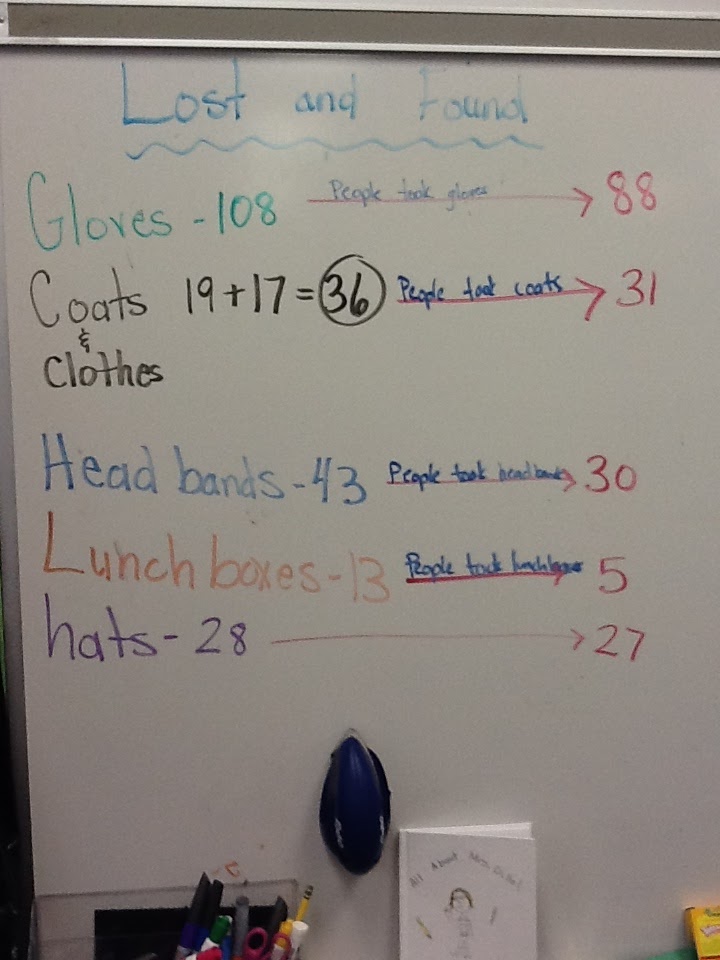
I am very excited to be incorporating more 'real world' activities into my classroom.  The project that I worked on during this course was all about the Lost and Found.  If you've ever been around kindergarten kids you know that they can't quit talking about this thing!  When a child goes to look in the lost and found they get this look upon their face....how can I describe it....hmmmm, similar to the look I get on my face when I walk into the Apple Store.  It's like 'ahhhhhhhhhhhhhhhhh'.  They are truly transfixed on the Lost and Found! Our unit was so much fun, for them and myself!  We sorted, counted, tallied, organized, compared, predicted, created a commercial....and then when others claimed their items we did it all over.  The students were so engaged.  For a kindergarten student 'engaged' can be synonymous with 'excited'.  Let me remind and tell you that we did this project that last week of school..... yep, the last week!!!!  Many students didn't want to leave the room because they were afraid if someone had some questions about the lost and found they wouldn't know who to ask!!!!!!  At the end of the unit/year one boy said "I wish we had a few more days of school so maybe we could find some more things and try to find the loser."  (OK...by 'loser' he meant the person who 'lost' the items..... Remember, kindergartners here!  That was the appropriate way to use the term 'loser'!  Ha!  I love kindergarten!)


Here's the 'commercial' we made to encourage others to come find their belongings:

One idea I received from a classmate to enhance my lesson would be for the students to participate in a skit about someone losing an item and what to do if you find something. I see this lesson as something that could be done multiple times throughout the year and additions could be made to stretch the students' learning. 

I would like to incorporate using the GAME plan with my students.  They will especially like the acronym.  Even kindergartners can look at where they are and discuss what they need to improve upon and even come up with ideas to do it! 

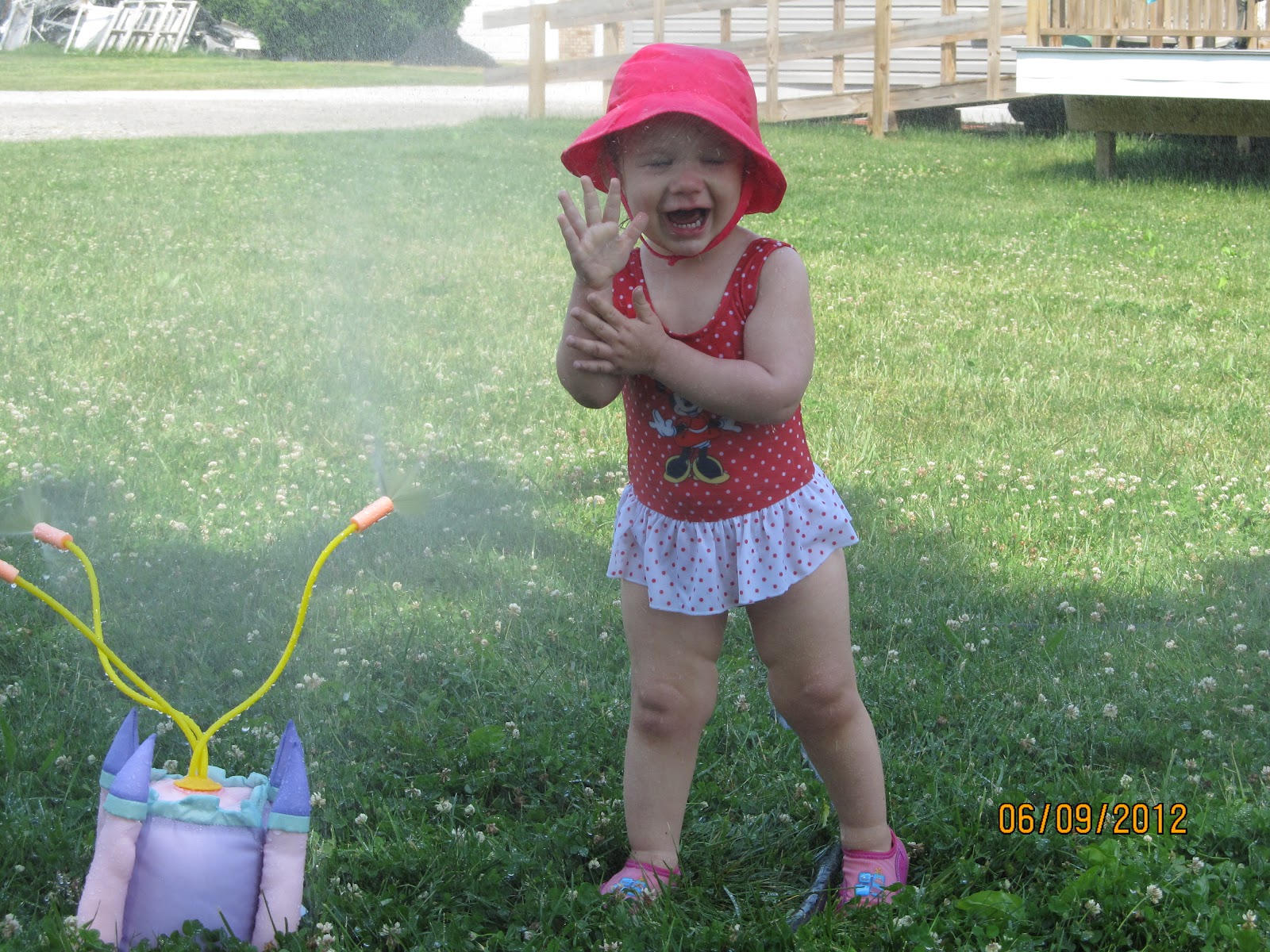
Good luck to everyone as they being their summer relaxation/preparations for next year! Here's my little sweetie I'll be hanging out with!

Wednesday, June 6, 2012

Counting Songs!

Have you or your students experienced the Have Fun Teaching videos?  My students (and I) are addicted!  Daily they would ask to hear one of the letter videos or counting videos. 
This is the counting by 5's video.  We performed it at our kindergarten program!  The kids love the techno music, catchy phrases, and fun graphics!  Be sure to check out the counting songs by Have Fun Teaching.  Anyone else have any great free resources for teaching some of those not-so-fun rote memory skills?

Wednesday, May 9, 2012

My GAME Plan...

Have you checked out the technology standards for teachers lately?  You can view them here: The ISTE NETS and Performance Indicators for Teachers (NETS•T)
As I reflect on these 5 standards and 25 indicators I am somewhat relieved to say that I feel comfortable with many of the standards and indicators.  With that being said, it is also evident that there is still much work to be done and technology advancements to be made.  The two indicators that I will focus on will be 1.b (engage students in exploring real-world issues and solving authentic problems using digital tools and resources).  The key words in this indicator for me are 'real-world issues' and 'solving authentic problems'.  I am striving to utilize technology in a way to that promotes problem solving skills and creativity, not simply practice academic skills.  The other indicator I would like to enhance is 3.b (collaborate with students, peers, parents, and community members using digital tools and resources to support student success and innovation).  Within this indicator I would like to focus on collaborating with students. 

Doesn't this sound like a great idea?  Of course, great ideas are simply that..ideas.  To make these ideas turn into reality I must have a plan, specifically a GAME plan.  Cennamno, Ross, and Ertmer (2009) explain that the GAME plan should include:

Set Goals: My first goal is to create more meaningful real-life activities for my kindergarten classroom that utilize technology and promote creativity. I see this goal as an opportunity to create more project based lessons within my classroom. My second goal is to collaborate with students to enhance their learning through the use of technology and digital tools. I specifically want to create a class blog where my students are able to post daily.

Take Action: I will research what other kindergarten teachers are doing to include project based activities.  I am already finding many examples of wonderful projects.  Here's one about school buses! I will set up a classroom blog and begin teaching my students how to summarize our learning and our day to create a post. I will also find other kindergarten blogs to show my students. Here's an example of an individual student's blog.  How cute it that????

Monitor Your Learning: As I begin this process it will be imperative that I track my learning and progress.  As needed I will adjust what I am doing to fit out needs.

Evaluate and Extend Your Learning: I don't see these goals as a final destination but a continual improvement plan.  As I complete each project I will need to reflect upon my learning along with my students' and make any other changes that need to be made.  As I look at extending my learning I will be able to include more project based activities that include technology and digital tools.  I will also be more skilled at blogging and finding learning opportunities within blogging.
Any suggestions to help me be successful??


Resources:
Cennamo, K., Ross, J. & Ertmer, P. (2009). Technology integration for meaningful classroom use: A standards-based approach. (Laureate Education, Inc., Custom ed.). Belmont, CA: Wadsworth, Cengage Learning.

International Society for Technology in Education. (2008). National education standards for teachers (NETS-T). Retrieved from http://www.iste.org/Libraries/PDFs/NETS_for_Teachers_2008_EN.sflb.ashx

Thursday, April 19, 2012

Digital Stories

My kindergarten students have been working on animal projects. This project has become very involved and I must say I became a little as we worked away on these projects.  Here's a break down of what we did.....
~Looked at animals and learned how to make observations.
~Discovered how to ask questions about our observations.
~Students worked in pairs to choose an animal and make observations and create two research questions about their animal.
~We then learned how to find key words in a question.
~Next, students found key words within their own questions.
~We worked together to find information on the internet.  We learned how to type in our two keywords with a "+" in the middle to find what we were looking for.
~Next, each group worked with me individually to research on the internet.  We discussed finding accurate information and learned how to be careful of inaccurate information. 

**I do want to remind you at this point.... these are KINDERGARTENERS......... 

~Then we printed the two sites they wanted along with some pictures.
~The groups then used the iPads to create digital stories.  This was the part I was not so involved in.  At this point in the year my students are very good at creating stories in StoryKit.  (Click here to read my review of StoryKit.)  The students took pictures of the printed pictures, recorded their voices, typed text, and created their own illustrations.

Click below to see some examples of the finished digital stories.  **You can click on the 'speaker' symbol to hear their voices!

Sharks  
 Deer    


I think the students did such a great job!

~Then the students took home a folder with all of their info, pictures, and guiding questions.  Along with this they took an 'animal info' sheet.  Instead of their typical reading/writing homework the students will fill out the info sheet with the support of their parents.

~Then students will create some type of display or presentation about their animal at home using their info sheet as help.  They could choose about anything create.  Sounds like many are creating posters.  Some said they are creating powerpoints.  We'll see what they come up with.  Then they will present their animal and information to the class.

So far the students have loved these projects and area already asking to do more.  I love how engaged they are in what they're doing.  I can't wait to see what they come up with!

Friday, February 3, 2012

Parlez-vous francais?

I decided today to take a look at my 'stats' for this site.... I was so excited to have over 2,600 views on my blog. As I looked further into the stats look what I found.....

Over 700 views in France!?!?!?!? Je devrais peut-être changer de parler français? My French is a little (a lot) rusty, but I could try! Seriously, take a look at the views per country.... I feel like singing 'It's a small world'! Really?? There is someone is Malaysia who is interested in what this Ohio kindergarten teacher is doing??? 

Ok.... enough of my wide-eyed amazement... Here is my new trick for the day!

If you'd like to take a 'screen shot' of what is on your ipad simply:
  • have your screen set to the pic you want to take a 'picture' of
  • hold down the 'home' button and the 'power' button at the same time for a second
    • You will hear a click of a camera (if your volume is turned up) and a flash of the screen
  • the screen shot is now in your pictures!  Voila!

See full explanation here!

 Au revoir mes amis!